8:57 PM How to generate private/public key from PEM file With PuttyGen |
Hello folks, In this tutorial we shall earna basic stuff.
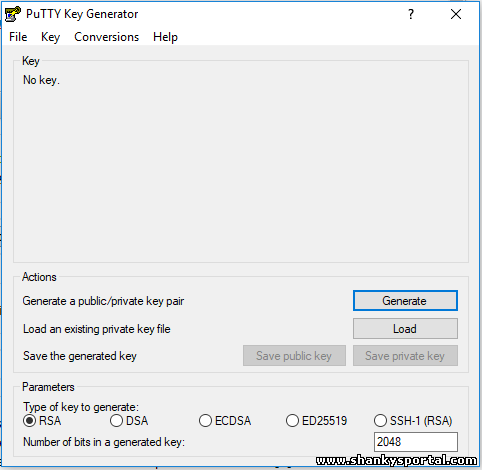
So we have a .pem file which is key file to login to a remove server. Usually this is needed when you create a remote server on Cloud and you choose to login with a key pair. Or you create a key pair, in that case you will be given a *.pem file. So please follow below steps to generate private key and public key from this file.
4. click on Load and browse the pem file
5. click on OK . 6. Click on save private key to save private key 7. Similarly save public key to save public key
|
|
|

Related blogs
You may also like to see:
| [2014-02-23] | [Open System-Linux] |
 lwp-download: A command in linux to downlaod large files from internet lwp-download: A command in linux to downlaod large files from internet | |
| [2015-04-23] | [Open System-Linux] |
 15 Great DATE command examples 15 Great DATE command examples | |
| [2014-03-17] | [Open System-Linux] |
 AWK command for scanning and analysing a large file in Linux AWK command for scanning and analysing a large file in Linux | |
| [2014-04-24] | [Open System-Linux] |
 Addition of two numbers using shell scripting in UNIX Addition of two numbers using shell scripting in UNIX | |
| [2014-01-08] | [Open System-Linux] |
 SSH Login Setup SSH Login Setup | |
| Total comments: 0 | |