10:53 AM Export command in Linux |
EXPORT is one of the most useful command in linux. It is used to set global variables in linux environment FORMAT export [-fn] [name[=word]] ...
subsequently executed commands. If the -f option is given, the names refer to functions.
If no names are given, or if the -p option is supplied, a list of all names that are exported in this shell is printed.
The -n option causes the export property to be removed from each name.
If a variable name is followed by =word, the value of the variable is set to word. To set/export a global variable, we can use following two ways: export var=value
or var=value; export $var;
EXPORT returns an exit status of 0 unless an invalid option is encountered, one of the names is not a valid shell variable name, or -f is supplied with a name that is not a function.
Its always suggsted to add all your exports into your profile file to make it persistent for your profile.
|
|
|

Related blogs
You may also like to see:
| [2015-07-18] | [Open System-Linux] |
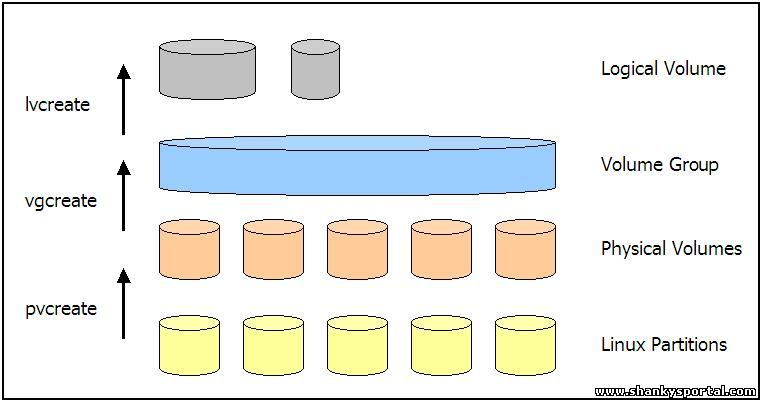 Creating and Managing Logical Volume Manager in Linux Creating and Managing Logical Volume Manager in Linux | |
| [2014-02-27] | [Open System-Linux] |
 RSYNC : A command in linux to copy files remotely. Faster and more flexible than rcp RSYNC : A command in linux to copy files remotely. Faster and more flexible than rcp | |
| [2015-04-23] | [Open System-Linux] |
 15 Great DATE command examples 15 Great DATE command examples | |
| [2016-12-25] | [Open System-Linux] |
 Guide for working with zipped and archived files in Linux/AIX Guide for working with zipped and archived files in Linux/AIX | |
| [2014-10-26] | [Open System-Linux] |
| | |
| Total comments: 0 | |